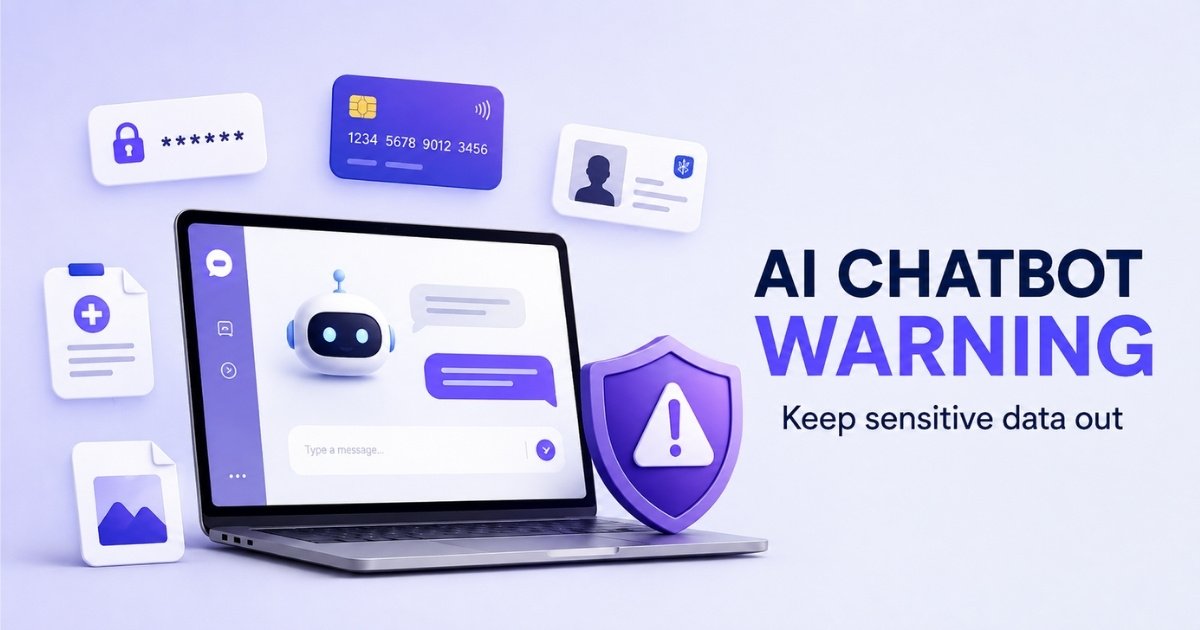
AI chatbots such as ChatGPT, Gemini and Claude can analyse documents, explain screenshots, summarise PDFs and even work with photos. These features are extremely useful, but they also make it easy to upload information that should probably never leave your phone or computer.
The important thing to remember is that an AI chatbot should not be treated like a private digital safe. Privacy protections differ from one service to another, and the way your conversations and uploaded files are stored, reviewed or used can also depend on your account settings.

Here are seven types of information you should think very carefully about before uploading to any AI chatbot.
1. Passwords, PINs and Verification Codes
Never paste your password into an AI chatbot simply because you want help checking whether it is strong. The same applies to your email password, mobile money PIN, ATM PIN, Wi-Fi password, recovery code and security answers.
You should also never upload screenshots containing one-time passwords or verification codes. These codes are often designed to give temporary access to an account, so exposing one while it is still valid could create a serious security risk.
If you want an AI chatbot to help you create a strong password, ask it to generate an example rather than showing it your real password. You can then use a reputable password manager to create and securely store your actual passwords.

2. Bank, Mobile Money and Payment Information
Your bank card number, CVV, mobile money PIN and online banking login details should never be entered into an AI chatbot. You should also be careful with bank statements, payment receipts and screenshots because they may contain account numbers, transaction references, addresses and other personal information.
For example, if you want help understanding a bank charge, you do not necessarily need to upload the entire statement. You can remove your name, account number, balance, transaction references and other identifying information before sharing only the part you need explained.
The same caution applies to Mobile Money users in Ghana. An AI assistant may help you understand a transaction message, but there is no reason to expose your MoMo PIN, OTP or other security credentials.
3. Ghana Card, Passport and Other Identification Documents
Uploading a Ghana Card, passport, driver’s licence, birth certificate or other official identification document can expose far more information than you realise. Such documents may contain your full name, date of birth, identification number, photograph, signature and other details that could be valuable to identity thieves.
Sometimes people upload identification documents because they want AI to extract text, resize an image or help complete an application. Before doing that, consider whether the task can be completed using another tool that does not require you to send the entire identification document to an AI service.
If you genuinely need AI assistance with a document, remove or cover information that is not required for the task. The safest approach is to share the minimum amount of information necessary.
4. Private Medical and Health Records
AI can be useful for explaining complicated medical terms, but uploading your complete medical records is a different matter. Laboratory results, prescriptions, hospital records and medical reports can contain highly personal information about your health and identity.
If you only want an explanation of a medical term, you can usually type the term itself rather than uploading the whole document. Where a section of a report is necessary, consider removing your name, patient number, address and other identifying information before sharing it.
AI-generated medical explanations can also be inaccurate or incomplete. Important medical decisions should therefore be discussed with a qualified healthcare professional rather than being based entirely on an AI chatbot.
5. Confidential Work, School or Customer Documents
One of the easiest mistakes to make is uploading a confidential document because you want AI to summarise, rewrite or analyse it. Employees may upload internal reports, contracts, meeting minutes or customer information, while teachers could accidentally upload documents containing learners’ names, assessment results or other private records.
Researchers and students also need to be careful with confidential research data, unpublished work and information collected from participants. If you have promised participants confidentiality, putting identifiable research data into an AI service without approval could create ethical and privacy problems.
Before uploading workplace, school or research material, check your organisation’s AI and data protection rules. Where possible, remove names, email addresses, phone numbers, identification numbers and other information that can identify individuals.
6. Private Photos, Videos and Voice Recordings
Modern AI systems can analyse images, video and audio, but that does not mean every personal file should be uploaded. A private family photograph, confidential video or personal voice recording may contain faces, locations, documents or background information you did not originally intend to share.
Images can be particularly revealing. A simple photo taken inside your home might accidentally show an address, school badge, vehicle registration number, work ID card or confidential document in the background.
Before uploading any media file, look at everything visible or audible in it. Crop, blur or remove unnecessary personal information whenever possible, especially when other people appear in the content.
7. Other People’s Personal Information
Privacy does not apply only to your own information. You should also avoid uploading another person’s phone number, private messages, identification documents, financial details, medical information or confidential photographs without a legitimate reason and appropriate permission.
For example, copying an entire WhatsApp conversation into an AI chatbot may expose information belonging to everyone involved in that conversation. The fact that you have access to someone’s information does not automatically mean it is appropriate to send that information to another service.
Where you need AI assistance with a conversation or document, replace names and identifying details with general labels such as “Person A”, “Customer” or “Student”. You can usually get the same useful answer without revealing who the people actually are.
But Aren’t AI Chatbots Private?
Major AI companies provide privacy and data controls, but the exact protections depend on the product and the settings you use. This is why users should understand the privacy options available instead of assuming every AI conversation is automatically private.
For example, OpenAI allows ChatGPT users to turn off Improve the model for everyone, which means new conversations will not be used to train its models. ChatGPT also offers Temporary Chat, which does not appear in chat history and is not used to train models, although OpenAI says a copy may still be retained for up to 30 days for safety purposes.
Google provides similar controls for Gemini, but its privacy information makes an important warning clear. When Gemini Apps Activity is enabled, some conversations may be reviewed by trained human reviewers to improve Google’s services, and Google specifically advises users not to enter confidential information they would not want a reviewer to see.
Privacy settings are useful, but they should not become an excuse to upload information unnecessarily. Even when a service offers strong protections, the safest confidential file is often the one you never needed to upload in the first place.
A Simple Rule Before Uploading Anything to AI
Before attaching a file, screenshot or photo, ask yourself whether the chatbot genuinely needs all the information contained in it. If the answer is no, remove the unnecessary information first.
You can redact names, identification numbers, account numbers, addresses and other sensitive details before uploading a document. In many cases, you can also copy only the relevant paragraph instead of uploading an entire PDF or photograph.
Another useful test is to imagine that the information became visible to somebody you did not expect to see it. If that possibility would cause serious financial, professional, legal or personal problems, avoid uploading it unless you fully understand and accept how the service will handle the information.
Final Note
AI chatbots are becoming extremely useful for studying, working, researching and solving everyday problems. The convenience of attaching a document or screenshot, however, should not make us forget that those files may contain sensitive information that was never meant to be shared widely.
Use AI, but practise data minimisation. Share only what the chatbot genuinely needs, remove identifying information wherever possible, understand the privacy settings of the service you are using, and keep passwords, financial credentials and highly confidential information out of AI conversations.
You May Have Missed